
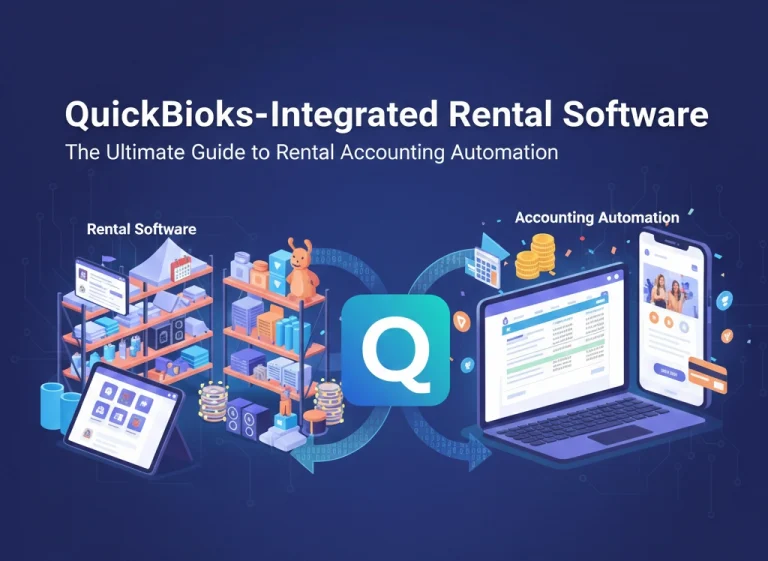
Most rental teams do not wake up excited about accounting. They care about getting gear out on time, keeping customers happy, and making sure money actually shows up in the bank. That is exactly where a good rental equipment software QuickBooks setup earns its place. Instead of someone staying late and copying numbers into QuickBooks, the system quietly moves invoices, payments, and customer details across for you in the background.
Why QuickBooks alone feels stretched for rentals
QuickBooks is great at being an accounting system, not so great at being a rental front office. You can set up items and customers, but it does not naturally think in terms of reservations, returns, damage waivers, or gear that moves between jobs. Trying to run everything directly in QuickBooks usually means:
- Bolting on spreadsheets to track who has what and when it is due back.
- Creating complicated item codes that try to capture date ranges and rental rules.
- Constantly adjusting invoices when a hire ends late, starts early, or comes back damaged.
You end up with a jumble of partial fixes instead of one clean process that runs from quote to collection.
How an integrated rental setup actually feels day to day
In a connected world, rental software QuickBooks integration should feel almost boring, in a good way. Your team lives in the rental system. They:
- Create quotes, convert them to reservations, and check equipment out and back in.
- Add delivery, pickup, and damage charges when needed.
- Take payments or mark jobs to be billed on account.
Behind the scenes, approved invoices and payments appear in QuickBooks with the right customers, items, tax codes, and accounts already filled in. No one is cross checking line by line at the end of the week. The numbers in QuickBooks actually match what happened on the floor, because they came from the same source.
This is where “automation” stops being a buzzword and starts feeling like less stress and fewer late nights.
The real payoffs of rental accounting automation
Once the connection is bedded in, a few benefits become obvious very quickly.
- Fewer mistakes: if no one is manually retyping invoice totals or tax, there is far less room for human error. That means fewer awkward calls to customers to fix bills and fewer surprises when you run reports.
- Better visibility: because rental revenue and payments hit QuickBooks every day, you can actually trust your profit and loss and cash flow views instead of waiting for month end cleanup.
- Cleaner decisions: with good tagging and account mapping, it becomes much easier to see which product lines, sites, or customer types are carrying the business and which are dragging it down.
For short term rentals in particular, where there are lots of small transactions, seasonal peaks, and different tax rules, these gains stack up quickly.
What to check before choosing rental equipment software QuickBooks integration
Not every connector is equal, and the fine print matters. When you look at options, dig into a few practical questions:
- Does it push data only one way into QuickBooks, or can it also pull back payment status or customer updates so everyone is looking at the same truth
- Can you map rental products, services, surcharges, and tax to proper accounts, or does everything get dumped into one generic income bucket
- Can you control which invoices sync and when, or is it all or nothing with no review step
Clear answers here are a good sign you are dealing with a mature integration rather than a basic export tool.
This is where integraRental has been built with accountants and rental operators in mind. It is rental equipment software QuickBooks users can connect once, then trust day after day, with invoices, credits, and customer records flowing through in a structured way instead of as a messy data dump.
Bringing short term and mixed rentals under one roof
Short term rentals, whether they are excavators on a three day job or vacation stays across multiple channels, tend to stress simple setups. There are deposits, partial payments, extensions, cancellations, and different tax rules all happening at once. That is why guides on the best accounting software for short term rentals consistently highlight QuickBooks Online paired with industry specific systems, not QuickBooks alone.
In practice, a good integration can help you:
- Handle frequent card payments and refunds without losing track of what belongs to which booking.
- Recognize income in the correct period even when rentals cross month ends.
- Produce owner or partner statements if you manage gear or properties on behalf of others.
The more of this is handled by rules and sync logic instead of spreadsheets and memory, the less likely it is that something important slips through.
Why integraRental is a strong option for automated rental accounting
If you already run QuickBooks and you are now looking for a front office that understands rentals properly, integraRental is designed to sit in that exact gap. It treats QuickBooks as the financial source of truth, while handling the messy, real world rental work itself.
In integraRental, your team builds quotes, books jobs, tracks gear, and manages returns. Once a transaction is ready, the system creates the matching invoice in QuickBooks with the correct items, accounts, taxes, and customer codes, following the mapping set during setup. That way:
- Operations stay fast and focused on customers.
- Finance gets clean, timely data in a format they can report on.
- Both sides trust the same numbers rather than arguing over whose spreadsheet is right.
For growing rental companies that have outgrown “we will fix it in Excel later,” that kind of stability is often worth far more than the subscription fee.